
🛠️ Step-by-Step Guide: How to Activate Windows Properly
Activating Windows is simple, but many users still make mistakes that cause error codes.
This guide shows you how to activate Windows 10 or Windows 11 correctly.
⸻
⚠️ 1. Make sure you installed the correct edition
This is the #1 mistake.
Your product key must match your installed Windows edition:
Windows 10 Home → Home key
Windows 11 Pro → Pro key
Windows Enterprise → Enterprise key
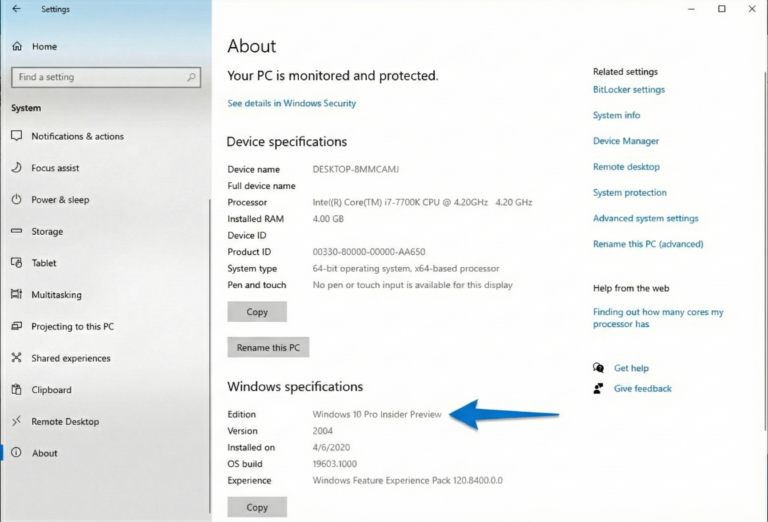
Check your edition: Go to Settings → System → About
⸻
🔑 2. Enter your product key
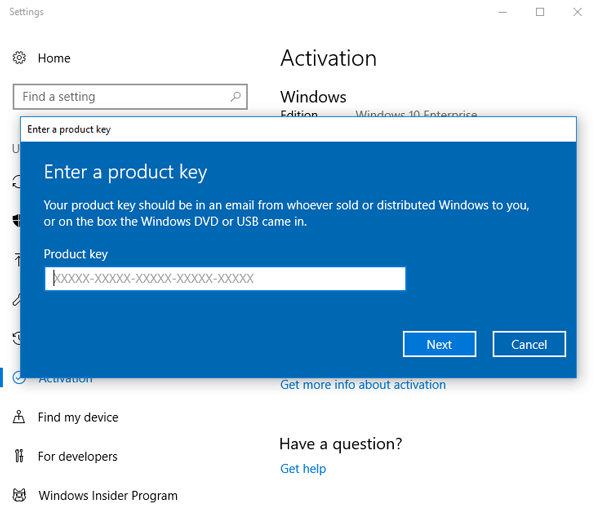
Go to: Settings → Update & Security → Activation → Change Product Key
Enter your 25-character key.
⸻
🌐 3. Check your internet connection
Activation requires online access to Microsoft servers. Make sure you are connected before entering your key.