
$ 54.00 Original price was: $ 54.00.$ 11.99Current price is: $ 11.99. -78%
Genuine Windows 11 Pro Professional — lifetime activation on 1 PC, official Microsoft download, delivered by email in seconds.


Microsoft Authorized Reseller
Every key is 100% genuine and legally sourced.
Verify our partner status →
Genuine Microsoft License · Lifetime Activation · Global License Key · Instant Email Delivery · 24/7 Expert Support · 180-Day Money-Back Guarantee
Open the Download & Activation Guide tab for step-by-step setup, the Product Specs tab for full technical details, and the FAQs tab for answers to the questions buyers ask most.
Your Windows 11 Pro product key arrives by email within seconds of purchase, together with an official Microsoft download link and these instructions. The complete process of downloading, installing and activating takes around 30 minutes. Follow the steps in order and your Windows 11 Pro download will activate first time.
Always install from the official Microsoft source included in your delivery email. Never use third-party mirrors, torrents or pre-activated copies. Modified installers are the number-one cause of failed activation and carry a serious security risk. The ISO is downloaded from Microsoft and both 32-bit and 64-bit builds are covered by the same licence key.
For a clean install, write the ISO to an 8 GB or larger USB drive using Rufus or the Microsoft Media Creation Tool. Keep GPT/UEFI for modern hardware, or MBR/BIOS for older machines. Our walkthrough on creating a bootable USB for Windows covers every setting in detail.
Go to Settings → Update & Security → Activation → Change product key, or System → Activation on Windows 11. Enter the 25-character key from your delivery email exactly as written; dashes are added automatically. Click Next and activation completes against Microsoft servers within seconds, creating a permanent digital licence tied to your device.
Verify at any time from an elevated Command Prompt with slmgr /xpr, which reports whether the machine is permanently activated.
Machines with no internet connection, or systems behind a strict corporate proxy, are offered telephone activation. Run slui 4, choose any country from the list and note the Installation ID that appears in groups labelled A to G. Rather than calling the Microsoft automated line and reading fifty digits aloud, use our free Microsoft Confirmation ID service: enter the Installation ID, receive your Confirmation ID in minutes, type it into the wizard and activation completes permanently. No phone call required.
0xC004F074 or 0xC004C003 — the key does not match the installed edition, or has reached its activation limit. Confirm the installed edition matches exactly what you purchased. If it is a fresh key, contact our support team with your order number and we replace it.
0x80072F8F — the system clock is wrong. Correct the date, time and time zone, then retry activation.
0x80070005 — a permissions problem rather than a licence problem. Run the activation step from an elevated administrator prompt.
Activation fails after a hardware change — replacing a motherboard reads as a new device. Contact our 24/7 support with your order number and we get the new hardware activated.
If anything goes wrong during download, installation or activation, our licensing specialists are available 24 hours a day, seven days a week. We do not close a ticket until your software reports as activated, and every order is protected by our 180-day money-back guarantee. Browse more Windows 11 licences, or explore the full Microsoft Office and Windows product key ranges.
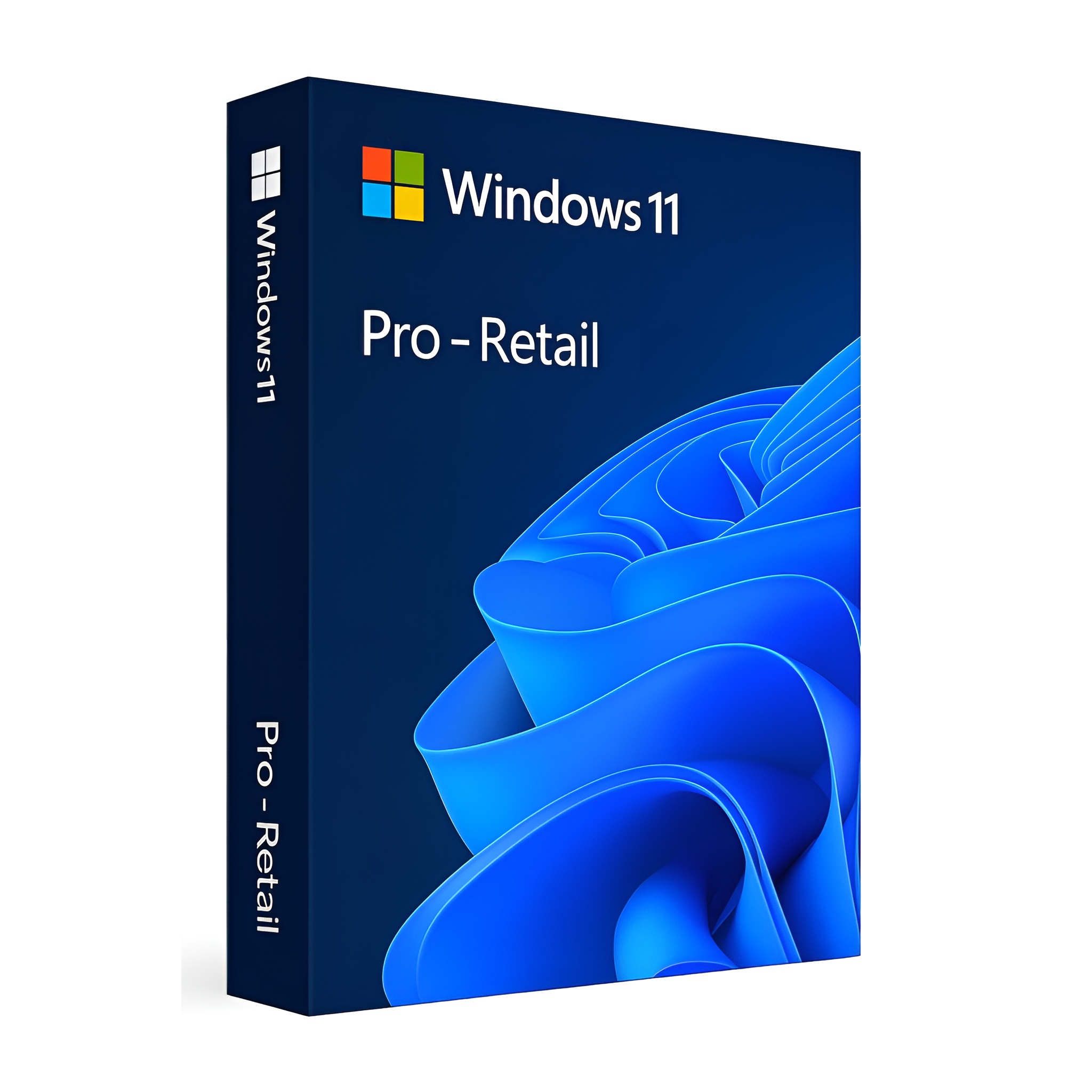
Microsoft Windows 11 Pro is a genuine one-time-purchase Windows licence for 1 pc. You buy it once, activate it with a 25-character product key and the licence is permanent: no subscription, no renewal and no expiry date. Activation happens directly on Microsoft servers and creates a digital licence bound to the device, so a future clean install of the same edition re-activates by itself.
Windows 11 Pro is the edition most buyers actually need. It adds the four things Home leaves out: BitLocker full-disk encryption, Remote Desktop hosting so you can connect in to the machine, Hyper-V virtualisation, and the Group Policy editor that lets you switch off Windows behaviour Settings will not touch. If you work from a laptop, manage a machine remotely, run virtual machines or care about disk encryption, Pro is the licence to buy.
BitLocker is the headline feature and the reason Pro belongs on any laptop that leaves the house. It encrypts the entire drive so a stolen machine is a lost device rather than a data breach, and it manages recovery keys through your Microsoft account or Active Directory. Home offers only Device Encryption on supported hardware, which is a far more limited feature.
Remote Desktop hosting lets you reach this PC from anywhere without third-party software, which is the difference between working from the office machine and paying for a remote-access subscription. Hyper-V and Windows Sandbox give you throwaway virtual machines for testing software safely, and the Group Policy editor unlocks hundreds of settings that the Settings app deliberately hides. Pro also supports joining a company domain or Microsoft Entra ID, and raises the RAM ceiling to 2 TB against Home 128 GB.
Because this is a perpetual licence rather than a subscription, activation is a one-time event. Once Microsoft records the digital licence against your hardware the machine stays activated, works fully offline, and re-activates by itself after a clean install of the same edition. There is no recurring check, no renewal date and nothing that stops working if you go offline for a year.
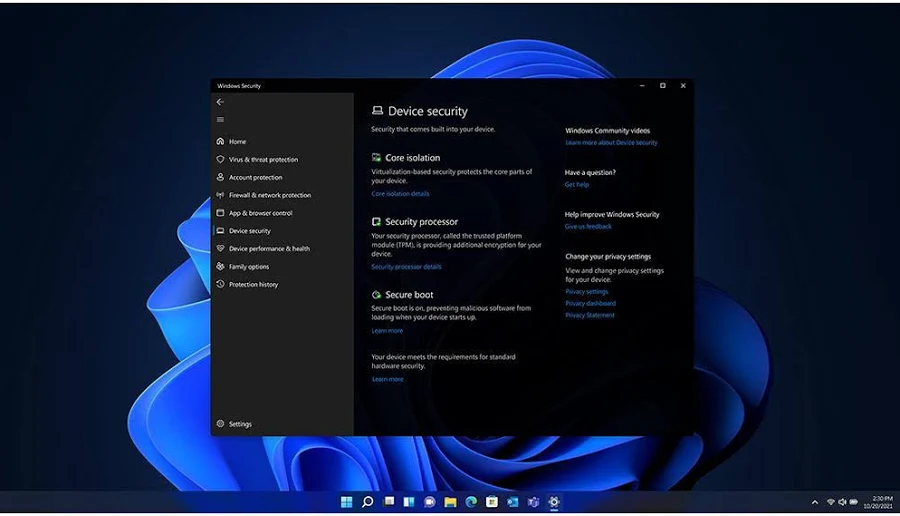
Windows 11 requires a compatible 64-bit processor from roughly 2018 onward, 4 GB of RAM, 64 GB of storage, UEFI with Secure Boot and TPM 2.0. The TPM requirement is the one that catches people out: check Settings, or run tpm.msc, before buying. If your hardware does not qualify, a Windows 10 Pro licence is the better fit. Both 32-bit and 64-bit builds are covered by the same licence key, and the licence supports every display language worldwide. For a clean install you need an 8 GB or larger USB drive and about 30 minutes; the full walkthrough is in the Download and Activation Guide tab.
This is a genuine Microsoft Windows 11 Pro product key for 1 pc, delivered by email within seconds of payment. It is a one-time purchase with lifetime activation: there is no subscription, no renewal date and no expiry. Activation happens directly against Microsoft activation servers and creates a digital licence tied to your device, so a future reinstall of the same edition re-activates automatically. The key is brand new and never used, works in every country and every display language, and is covered by our 180-day money-back guarantee and free 24/7 expert support. Your delivery email also contains the official Microsoft download link, and the full walkthrough sits in the Download and Activation Guide tab.
| Windows 11 Pro | Windows 11 Home | Windows 10 Pro | |
|---|---|---|---|
| Support status | Actively supported with annual updates | Actively supported | Ended October 2025 |
| BitLocker encryption | Yes | Not included | Pro only |
| Remote Desktop host | Yes | Client only | Pro only |
| Hyper-V and Sandbox | Yes | Not included | Pro only |
| Group Policy editor | Yes | Not included | Pro only |
| Join a company domain | Yes | Not included | Pro only |
| Maximum RAM | 2 TB | 128 GB | 2 TB |
| TPM 2.0 required | Yes | Yes | No |
The short version: if you need BitLocker, Remote Desktop hosting, Hyper-V or Group Policy, buy Pro. If the PC is a family machine for browsing, email and documents, Windows 11 Home saves money and does everything you need. Already running Home? Our Home to Pro upgrade key unlocks Pro in about ten minutes without reinstalling anything.
Anyone with a work laptop. BitLocker alone justifies the price difference the first time a machine goes missing.
Developers and IT staff who need Hyper-V, Sandbox, Group Policy and Remote Desktop hosting on a daily basis.
Small businesses joining machines to a domain or Entra ID, or applying consistent policy across several PCs.
Power users who want to control Windows behaviour rather than accept the defaults.
| Specification | Detail |
|---|---|
| Product name | Microsoft Windows 11 Pro |
| Licence type | One-time purchase with lifetime activation |
| Devices covered | 1 PC |
| Delivery | Instant email with product key, official Microsoft download link and setup instructions |
| Activation | Online via Microsoft servers, or offline by telephone and Confirmation ID |
| Languages | All languages supported, global activation, every region |
| Platform | 32-bit and 64-bit, covered by the same key |
| Support lifecycle | Actively supported by Microsoft with ongoing security and feature updates |
| Guarantee | 180-day money-back guarantee and free 24/7 expert support |
Microsoft distributes the same software through several licensing channels, and knowing the difference is the most useful thing a buyer can learn. A Retail licence is tied to your Microsoft account rather than the hardware, so it can be moved to a replacement machine after being removed from the old one. An OEM licence binds permanently to the first motherboard it activates on and cannot travel with you, which is why it costs less. A Volume licence is issued to organisations under an agreement with Microsoft and is intended for use inside that organisation. All three are genuine Microsoft licences that activate on Microsoft servers. They differ in transfer rights, not in the software you receive. Every product page in our store states the licence type so you can choose deliberately rather than discovering the difference later.
The price difference comes from how the licence was sourced, not from what it is. Volume licensing economics, regional pricing and the legal secondary market for software licences, upheld by the Court of Justice of the European Union in UsedSoft v Oracle in 2012, mean the identical genuine licence that carries a three-figure retail price can be resold for a fraction of it. You download from Microsoft servers, activate on the Microsoft activation service and receive exactly the same software a full-price buyer receives. What you do not pay for is boxed packaging, retail shelf space and distributor margin.
The practical risk in this market is never legality for the buyer. It is seller quality. A key that arrives already used can only be fixed by the seller replacing it, which makes support the thing worth checking before you buy. We publish a support address answered 24 hours a day, replace any key that cannot be activated, and back every order with a 180-day money-back guarantee. More than 10,000 keys delivered at a 4.9 out of 5 customer rating is the record behind that promise.
Understanding activation removes most of the anxiety around buying a licence key online. When you enter a 25-character key, the software contacts the Microsoft activation service and exchanges the key for a licence token stored on the device. Microsoft records a hardware fingerprint, a hash built from components such as the motherboard and storage controller, and links the entitlement to it. That record is what people mean by a digital licence.
The practical consequence is that once activation succeeds, the licence lives on Microsoft servers as well as on your machine. Reinstall the same edition on the same hardware and it re-activates, often without you typing anything. Change a small component such as RAM or a graphics card and nothing happens. Replace the motherboard and the fingerprint changes enough that Microsoft treats it as a new device, which is when reactivation is needed, and that is a support ticket with us rather than a new purchase.
Activation is also not a licence check that runs constantly. After the initial handshake the software works offline indefinitely. There is no phone-home-or-stop-working behaviour in perpetual licences, which is precisely why they suit machines on isolated networks, in workshops, or behind restrictive corporate firewalls.
Each key activates one device. For several machines you order the quantity you need, and every key arrives in the same instant delivery email ready to assign. For imaging workflows, install without entering a key, capture your reference image, then apply each device key at deployment. On Windows the standard commands are slmgr /ipk followed by slmgr /ato, and both script cleanly across a fleet.
Whatever the scale, keep a record of which key went to which machine or asset tag. The day a drive fails and a licence needs recovering, that one spreadsheet is the difference between a two-minute fix and an afternoon of archaeology. Buying more than twenty seats? Contact our support team before ordering and we prepare the order and documentation for you. The same 180-day guarantee applies to every seat.
End of support is not a kill switch. When Microsoft stops issuing security updates for a product, the software carries on running exactly as it did the day before. Your files still open, your licence stays activated and nothing expires. What stops is the monthly stream of security patches, which matters most for anything that opens files or email from outside your own network.
The sensible way to read a support date is as a planning horizon rather than a deadline. On an internet-connected machine that handles email and downloaded documents, staying on a patched release is worth the modest cost of a new licence. On an isolated machine, a workshop PC, a lab instrument, a device that never touches the internet, running past end of support is a considered decision rather than a risk, and plenty of organisations make it deliberately.
Product key is the 25-character code, in five groups of five, that identifies your licence to Microsoft. Digital licence is the activation record Microsoft stores against your hardware after the first successful activation, which makes reinstalls self-activating. Installation ID is the long number displayed during telephone activation, exchanged for a Confirmation ID to activate offline. Confirmation ID is the code that completes telephone activation, available instantly through our free service instead of an automated phone line. Perpetual licence is a one-time purchase that never expires, as opposed to a subscription. LTSC means Long-Term Servicing Channel, a servicing model that receives security updates but no feature updates, designed for devices that must not change.
Orders are processed automatically and delivered by email within seconds, day or night, including weekends and holidays. Your delivery email contains the 25-character product key, the official Microsoft download link and step-by-step installation instructions. If the message does not appear within a few minutes, check your spam or promotions folder and search for GetDigiMarket. If it is still missing, our support team resends it immediately.
Support is free, unlimited and available 24/7 before and after purchase. Our specialists handle download questions, installation conflicts with older versions, activation errors and offline telephone activation. We do not consider a ticket resolved until your software reports as activated. Should a key prove impossible to activate and our team cannot resolve it, you receive a replacement or a full refund under the 180-day money-back guarantee, whichever you prefer.
Complete the workstation with Office 2024 Professional Plus, or browse every release in our Microsoft Office range. Compare other editions in Windows 11 and Windows 10, add standalone Office applications such as Visio and Project, or scale up with a Windows Server licence key.
Pro adds BitLocker full-disk encryption, Remote Desktop hosting, Hyper-V virtualisation, Windows Sandbox, the Group Policy editor, domain join and a 2 TB RAM ceiling. Home covers everyday browsing, email and documents.
If any of this is unclear for your particular setup, message us before ordering rather than guessing — we would much rather spend two minutes confirming you are buying the right edition than process a refund later. The Product Specs tab on this page also lists the full technical detail for this exact product, including supported systems and the Microsoft end-of-support date.
Yes. Windows 11 requires TPM 2.0, Secure Boot and a supported 64-bit processor. Run tpm.msc to check. If your machine does not qualify, buy a Windows 10 Pro key instead.
You can check this yourself in a minute: press Windows + R, type tpm.msc and press Enter to see whether a TPM is present and enabled. Many machines have TPM 2.0 available but switched off in the BIOS, so a “not found” result is often a setting rather than missing hardware. If your machine genuinely does not qualify, a Windows 10 licence remains a legitimate option, though note that Windows 10 reached end of support in October 2025.
You can, but the dedicated Home to Pro upgrade key is designed for exactly that and is usually cheaper. This licence is intended for a clean install or a machine with no current licence.
An upgrade key changes the edition in place: your files, applications and settings stay exactly where they are, and there is no reinstall involved. The change usually completes in around ten minutes and needs one restart. If you are moving from Home to Pro, the dedicated upgrade key is normally cheaper than a full licence, so it is worth checking which of the two you actually need before ordering.
The licence type is stated on this product page. Retail keys can be transferred to a replacement machine after removal from the old one; OEM keys stay with the original motherboard.
The Product Specs tab on this page carries the full detail for this exact edition, including its Microsoft support window and what is and is not bundled. If your situation is at all unusual — older hardware, an existing Office installation, a virtual machine, a specific compliance requirement — send us a message first. A short question now is cheaper than the wrong licence, and our support team answers seven days a week.
Yes. Standard Windows desktop applications, drivers and games all run exactly as they do on Home. Pro adds capabilities, it does not remove compatibility.
If you are weighing this against another edition, the Product Specs tab on this page lists the full technical detail — which applications are included, the systems it supports and the Microsoft end-of-support date. If anything is still unclear for your particular setup, message us before ordering rather than guessing; we would far rather spend two minutes confirming you are buying the right licence than process a refund afterwards. Either way, every order is covered for 180 days.
No. Home and Pro share the same kernel and scheduler, so benchmarks are identical. Pro adds features, not speed.
The Product Specs tab on this page carries the full detail for this exact edition, including its Microsoft support window and what is and is not bundled. If your situation is at all unusual — older hardware, an existing Office installation, a virtual machine, a specific compliance requirement — send us a message first. A short question now is cheaper than the wrong licence, and our support team answers seven days a week.
Within seconds of payment. Delivery is automatic by email, 24 hours a day including weekends, and includes your product key, the official Microsoft download link and installation instructions.
Delivery is automated rather than manual, so it does not depend on office hours — an order placed overnight or at a weekend arrives just as quickly as one placed on a Tuesday afternoon. The email contains your key, a direct link to the official Microsoft installer for this exact edition, and activation instructions written for this product. If it has not appeared within a few minutes, check the spam or promotions folder before contacting us, as automated messages carrying licence keys are occasionally filtered.
Yes. This is a genuine Microsoft licence key that activates against Microsoft’s own activation servers and returns a normal “Product is activated” status — not a generated key, not a shared key, and not a crack. You download the software from Microsoft’s own servers using the official installer link included in your delivery email, so the files never pass through us. The low price comes from how the licence is sourced through volume and secondary-market channels, not from what it is. If it ever fails to activate, you are covered for 180 days.
Lifetime. You pay once and the licence never expires — no renewals, no monthly fees, and no card kept on file. After first activation Microsoft stores a digital licence against the device, so the same edition re-activates automatically after a reinstall. The trade-off worth knowing: a perpetual licence keeps receiving security updates for its full Microsoft support lifecycle, but it does not gain the new features that the Microsoft 365 subscription adds over time. The version you buy is the version you keep.
Yes. This is a global licence key that activates in every country, and the software itself is fully multilingual — you choose your display language during installation regardless of where the licence was bought or where you are using it. If you activate in one region and later move continents, an online activation can occasionally be refused as a routine fraud check. That is not the key failing, and it is resolved in a few minutes through Microsoft’s automated phone activation, which our support team walks you through free of charge.
Yes. Buying a genuine, properly transferred software licence is legal. In the European Union this is settled law: the Court of Justice ruled in UsedSoft v Oracle (2012) that once a copy of software has been sold within the EU, the distribution right in that copy is exhausted and the licence can lawfully be resold. What matters is that the licence is genuine and properly transferred, which is exactly what separates a legitimate reseller from the grey market. We do not sell generated keys, keys from compromised accounts, or activation cracks.
Our support team is available 24/7 and works with you step by step until the software reports as activated, including offline telephone activation through our free Confirmation ID service. In practice almost every failure is one of three things: an edition mismatch (a Pro key entered on a Home installation), a leftover previous Office or Microsoft 365 install blocking the new one, or a genuinely faulty key. Send us your order number and the exact error code on screen — that usually identifies the cause in one reply. If a key cannot be activated you receive a replacement or a full refund under our 180-day guarantee.
Yes. Activation creates a digital entitlement on Microsoft’s servers, so reinstalling the same edition on the same device re-activates, often automatically and without you needing to re-enter the key. Keep your delivery email anyway — it holds both the key and the official download link, which saves hunting for the correct installer later. If you are moving to different hardware rather than reinstalling on the same machine, check whether your licence is Retail or OEM: Retail licences can be transferred, while OEM licences stay tied to the original motherboard.
A product key works without one in most cases, but linking a Microsoft account is worth doing. It is what makes the licence recoverable and reinstalls painless after a hardware change, because the digital entitlement is tied to the account as well as the device. For Office for Mac, signing in with a Microsoft account is how the key is redeemed in the first place, so an account is required there. Creating one is free and takes a minute, and it does not change how the licence itself works.
Visa, Mastercard, American Express, Discover, JCB, Apple Pay and Google Pay, all over an SSL-encrypted checkout. Payments are handled by our payment providers, so we never see or store your card details at any point. Your key is released the moment payment is confirmed — the delivery is automated, which means an order placed at three in the morning arrives just as quickly as one placed at midday. You will receive the key and the official download link by email within seconds.
If your key cannot be activated and our support team cannot resolve the problem, you get a replacement key or a full refund — your choice — for up to 180 days after purchase. There are no restocking fees and no requirement to justify yourself beyond telling us what went wrong. To start, send your order number, the product name and the exact error message or code you are seeing; the code usually identifies the cause immediately. Refunds go back to the original payment method.
Sorry, no reviews match your current selections
Trusted by thousands of customers worldwide for genuine Microsoft product keys at the best price — cheap Windows keys, Office lifetime licenses and Windows Server licenses with instant email delivery.
Authentic product keys sourced from authorized channels — every Windows and Office key activates directly on Microsoft servers.
Your license key arrives in your inbox within seconds of payment, 24/7 — no shipping, no waiting.
One-time purchase with permanent activation. If a key ever fails, we replace it free.
Volume licensing lets us sell cheap Microsoft keys — the same genuine license for a fraction of retail price.
Full refund up to 180 days if your key cannot be activated and support cannot resolve it.
Real Microsoft licensing specialists who solve download and activation problems before and after purchase.

Always delivers!
Amazing prices and great service
Easy purchasing and all working great.
The price is so good and the support team was very professional.
Great experience. Fast delivery on mail evrything is OK.